



 Football Bros
Quick Play · Franchise · 2 Players (Same PC) · Host / Join
Football Bros
Quick Play · Franchise · 2 Players (Same PC) · Host / Join
Football Games
More Games
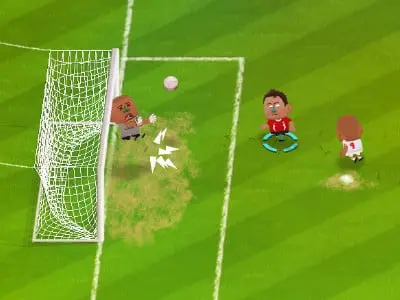
Football Bros is a browser arcade soccer game built for short, intense matches and easy pick-up play. Supported modes include Quick Play (1v1), Franchise Mode, Local 2‑Player (same PC) and Online Host/Join. Matches use compact fields, power-ups and distinct characters — success depends on positioning, timing and simple strategy.
Designed for accessibility and replayability: no download, simple keyboard/touch controls, and fast rounds that reward skillful play.
Go to football-bros.online, click Play and choose a mode. Controls: Arrow keys / WASD to move, Space to pass/shoot/tackle, Shift to sprint; mobile uses on-screen controls.
Typical matches unfold quickly: secure possession, probe for openings, use passing to create space, and deploy power-ups to finish. Defenders should focus on cutting passing lanes and timing tackles, while attackers pressure the goal and exploit power-up windows.
Football Bros supports quick matches for casual play, ranked ladders for competitive players, and event challenges that rotate regularly. Progression is primarily cosmetic — unlock skins, emotes, and minor visual upgrades that personalize your player without unbalancing gameplay.
Choose from a roster of characters such as Balanced Striker, Speedster, and Defender. Customization focuses on visual skins and emotes so players can express personality without affecting competitive balance.
Play Football Bros at the official browser site: https://football-bros.online/. The site is optimized for Chrome, Edge, Firefox and Safari. For best experience, use the latest browser version and enable sounds — many in-game cues rely on audio feedback.
Arcade quick matches, franchise progression, local co-op and online Host/Join — plus rotating events and leaderboards.
Instant matchmaking for short, competitive rounds.
Longer progression with team upgrades and season goals.
Play on the same PC for couch co-op matches.
Create or join private online matches to play with friends.
Answers to common questions about Football Bros. If you need more help, visit our Contact page.
Yes. Football Bros is free to play in your browser. Optional cosmetic purchases may exist, but core gameplay is free.
Quick Play (1v1), Franchise Mode, Local 2‑Player (same PC) and Online Host/Join.
Desktop: Arrow keys or WASD to move, Space to pass/shoot/tackle, Shift to sprint. Mobile: on-screen touch controls.
Yes — use Host/Join to create or join private online matches, or invite friends locally for 2‑player same‑PC matches.
No. Progression focuses on cosmetics and seasonal rewards; skins and emotes do not give gameplay advantages.
To throw or pass the ball in Football Bros, use the arrow keys (or WASD) to aim, then press the Spacebar (on desktop) or tap the action button (on mobile) while your player has possession. The direction you press determines where the ball is thrown or passed.